Planning & Setup
The foundation of reliable home automation
📋 Before You Start
Planning your home automation setup properly will save you time, money, and headaches later. The key is choosing the right location for your central hub and understanding what devices need to connect to it.
Finding Your Hub Location
Once your house plans are drawn up and you know where fans, lights, and switches will go, find a central spot with room for your network equipment. This location needs to accommodate a network switch, have good cable access to reach all your devices, adequate ventilation for equipment cooling, and easy access for maintenance and future upgrades.
🔌 What is Power Over Ethernet (POE)?
Power Over Ethernet sends both network data and power through a single ethernet cable. It supplies 44-57 volts DC and up to 70 watts (though most devices use less than 25 watts). This eliminates the need for power points near each device. For devices that need lower voltage (5-24V), POE splitters (around $10 AUD) can step down the voltage.
🌐 What Connects to Your Switch?
Essential Network: Router (internet connection), wireless access points (WiFi coverage)
Home Automation: Input Arduino controller, Raspberry Pi central computer, output Arduino controller
Entertainment System: Media center (projector, amplifier), smart TV, streaming devices
Computers & Storage: Desktop computers, laptops (ethernet), printers, NAS drive (network storage)
Security & Communication: Security cameras, video doorbell, IP phone system
Often Forgotten: Smart doorbell, garage door controller, irrigation system, pool equipment
Count carefully - it's easy to underestimate how many network connections you'll need. The port count adds up quickly when you include everything.
🔀 Managed vs Unmanaged Switch?
Unmanaged Switch
Simple plug-and-play operation. All ports work the same way with no configuration needed. Good for basic setups where you just need to connect devices.
Managed Switch (Recommended)
Allows for advanced features like virtual networks (VLANs), enhanced security, port customization, and traffic control. Particularly useful for isolating IoT devices and security cameras on separate networks. This prevents someone from plugging a laptop into a camera's ethernet cable and accessing your main network.
💡 Security Benefit
With managed switches, you can put security cameras and IoT devices on isolated network segments, improving overall system security.
📐 Choosing Switch Size
POE switches typically come in 8, 16, or 24-port configurations. Count your planned devices and add 25-50% for future expansion.
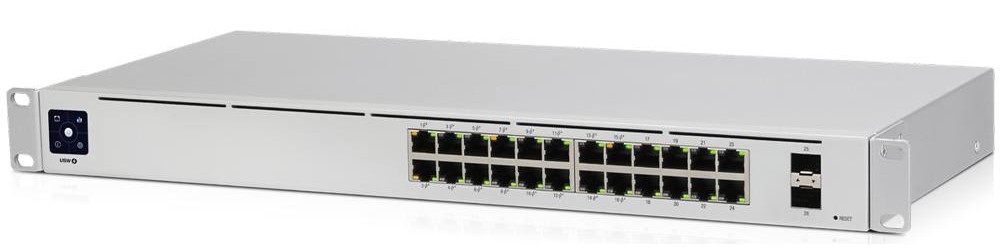
24 Port POE Switch
Important: Check the power rating - not all switches supply full POE power to every port simultaneously. Make sure the total power budget meets your needs.
🗄️ Housing Your Equipment
A 19-inch rack keeps your equipment organized and provides proper ventilation. Network switches, automation controllers, and other equipment are designed to fit standard rack mounting.
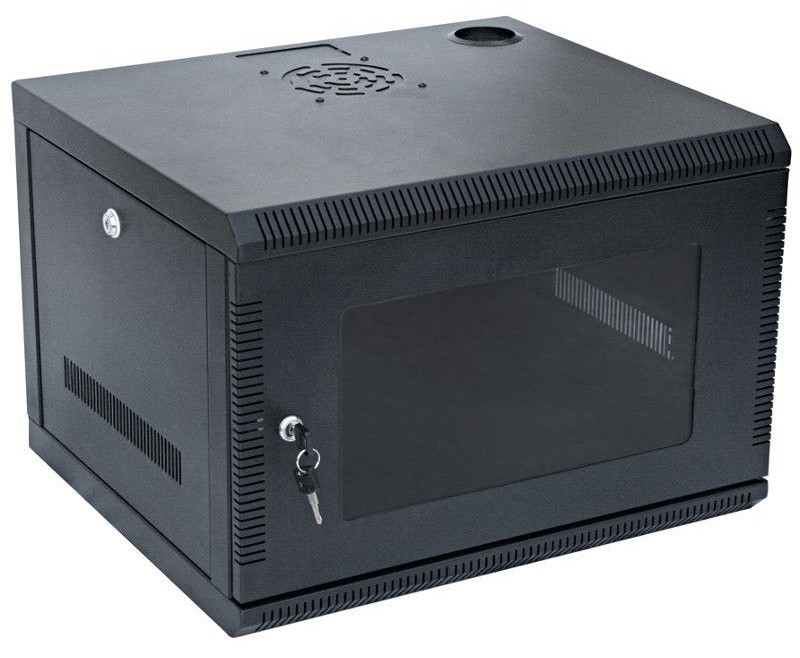
19 Inch Equipment Rack
Consider ventilation, cable management, and future expansion when choosing your rack size.